Rotary Sensor - Replacement
Items Required
13 mm (1/2") wrench
replacement sensor
Remove the Sensor
Remove the sensor from the mounting bracket.
Disconnect the cable:
Turn the locking collar counterclockwise.
Pull the connector straight out from the sensor.
Install the New Sensor
Connect the cable to the new sensor:
Align the connector with the sensor pins.

Push the connector firmly into place until fully seated.
Turn the locking collar clockwise to secure the connector.
Hold a metal object in front of the sensing face. Verify that the sensor light turns on.
Install the sensor onto the mounting bracket.
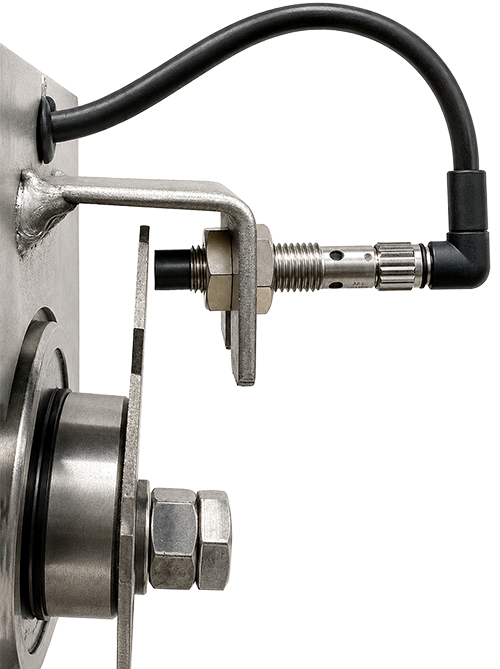
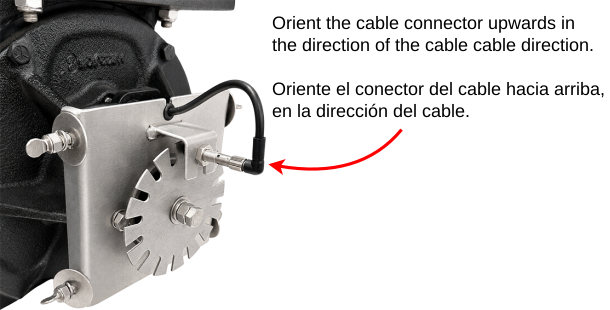
Orient the sensor so the cable connector faces the cable run.
Proceed to Rotary Sensor Position Calibration.
Last modified: 18 August 2026